Record Added
Tell the responsible team when a new request, complaint, audit item or other record enters the system.
FlinkISO · Free Open Source QMS
Send the right message when a record changes or a workflow event occurs
Timely, targeted communication
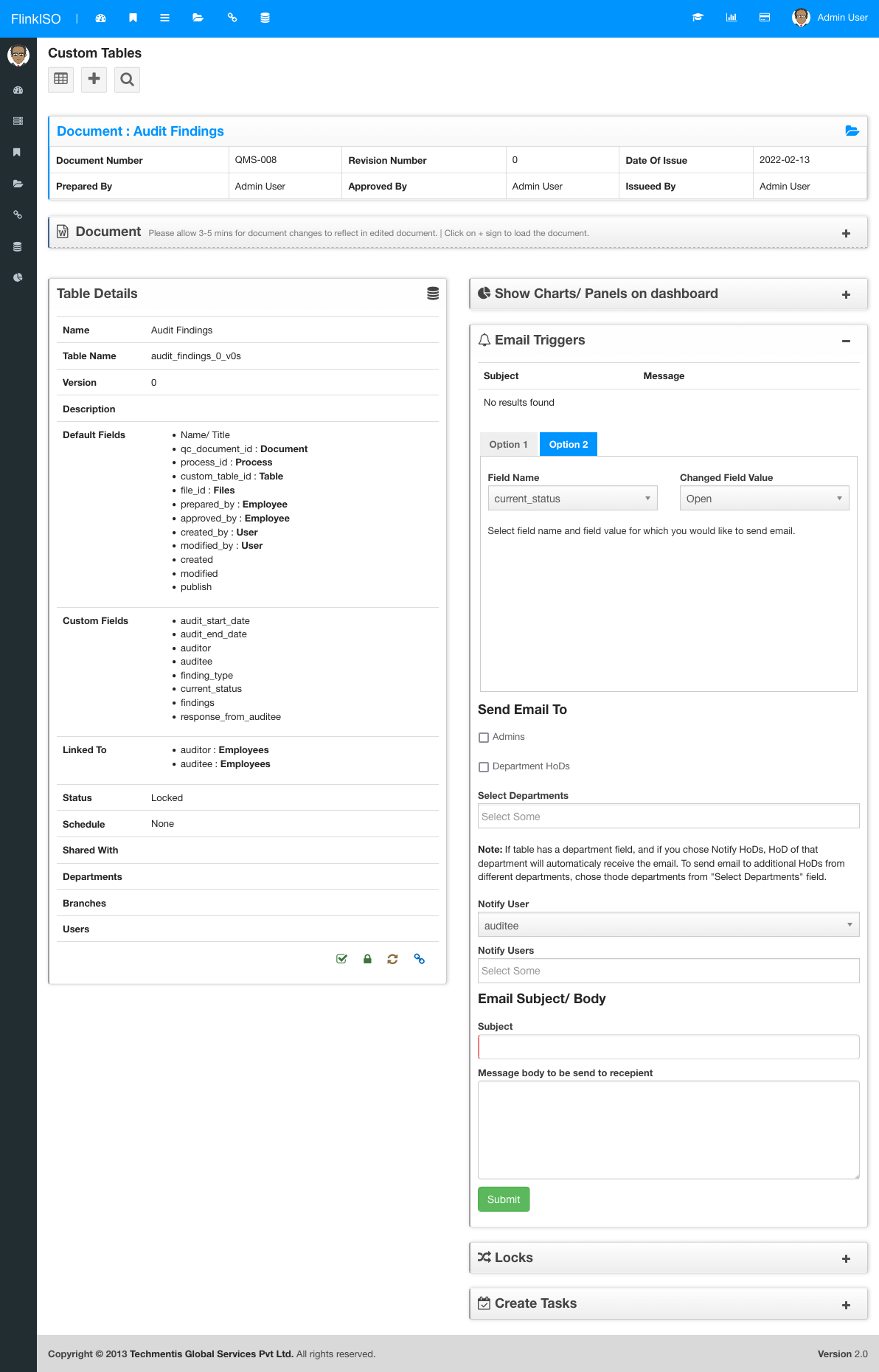
Each Custom HTML Form includes an Email Triggers panel. Configure notifications around a record action or a meaningful field-value change, choose the recipients, and write the subject and message your team should receive.
Two trigger modes
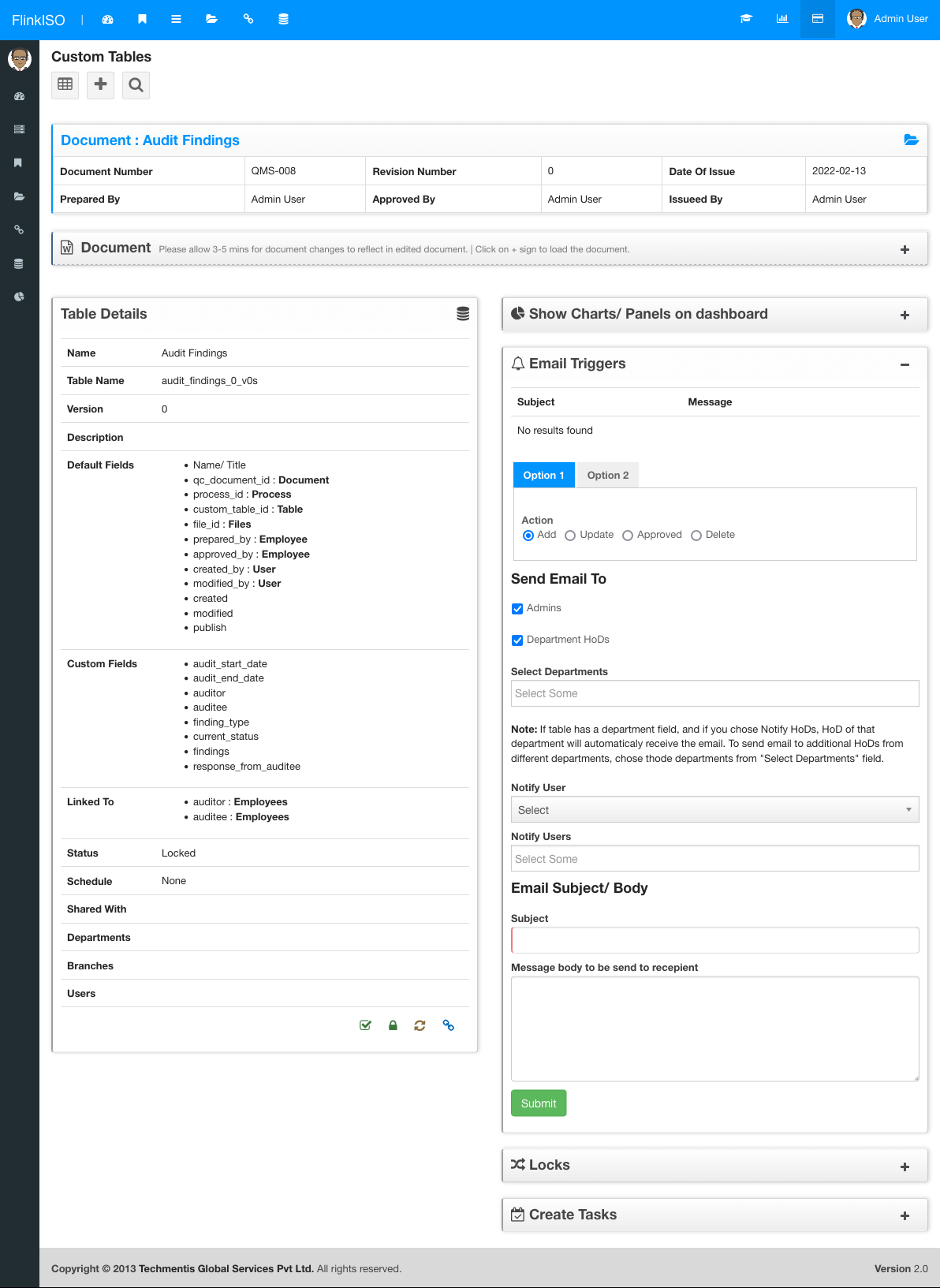
Use a lifecycle action for broad workflow communication or a field condition for a specific operational change.
Tell the responsible team when a new request, complaint, audit item or other record enters the system.
Notify recipients after an existing record is changed and saved.
Communicate important lifecycle decisions without relying on a separate follow-up.
Send an email only when a selected field changes to the configured value, such as a complaint moving to Closed.
Configure once
Select an action-based trigger or a field-change trigger.
Choose the action, or select the field and the value that should cause the email.
Use administrators, relevant department heads, a record-linked user or specific employees.
Add a clear subject and message body, then save the trigger against the custom form.
Field-driven alerts
A field trigger combines the selected field with its destination value. The message is sent when an edit changes that field to the configured value.
When a form includes department or employee relationships, a trigger can route the message using data already stored in that record. Additional departments and individual employees can also be selected directly.
More from FlinkISO
Assisted implementation
We will setup the application for you. Our team will actively work with you during the process, help you build your Custom HTML forms, and show you how to use the system efficiently.
Explore Startup PlanStart your 15 days On-Cloud QMS trial. No payment required. One free training session included. Live chat & email support.
RegisterDownload Free Quality Management Software On-Premise Edition. Installation, Training, Support Services on-demand.
Free Download