Password Length
Set the permitted minimum length so short passwords are not accepted.
FlinkISO · Free Open Source QMS
Apply consistent password rules across every user account in your QMS
One policy for the instance
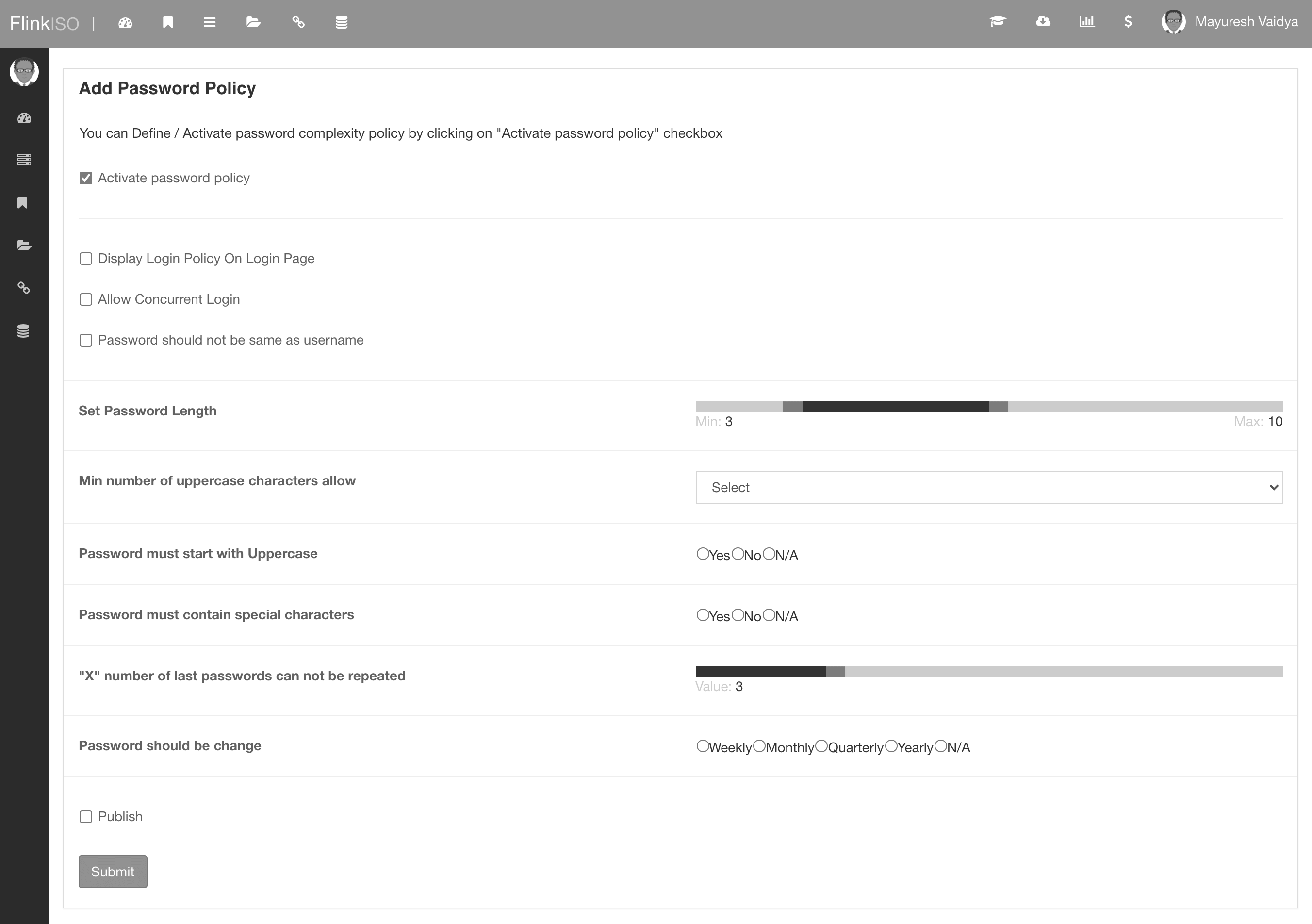
Activate a password policy to define the minimum standard users must meet. FlinkISO can control password structure, prevent recent-password reuse and require passwords to be changed at the frequency selected by the administrator.
Complexity controls
Set the permitted minimum length so short passwords are not accepted.
Require uppercase characters, an uppercase first character and special characters as needed.
Choose how many recent passwords cannot be reused by the same account.
Require a change weekly, monthly, quarterly or yearly, or leave the frequency unrestricted.
Practical rollout
Choose complexity, history, frequency and session settings that match your internal policy.
Enable the policy and optionally display its requirements on the login page.
Tell users what the new rules require before their next password update.
Confirm administrators can support legitimate users who forget or must reset a password.
Password rules improve account hygiene. For stronger login assurance, combine them with two-factor authentication, appropriate user permissions and reviewable audit trails.
More from FlinkISO
Assisted implementation
We will setup the application for you. Our team will actively work with you during the process, help you build your Custom HTML forms, and show you how to use the system efficiently.
Explore Startup PlanStart your 15 days On-Cloud QMS trial. No payment required. One free training session included. Live chat & email support.
RegisterDownload Free Quality Management Software On-Premise Edition. Installation, Training, Support Services on-demand.
Free Download