Sessions
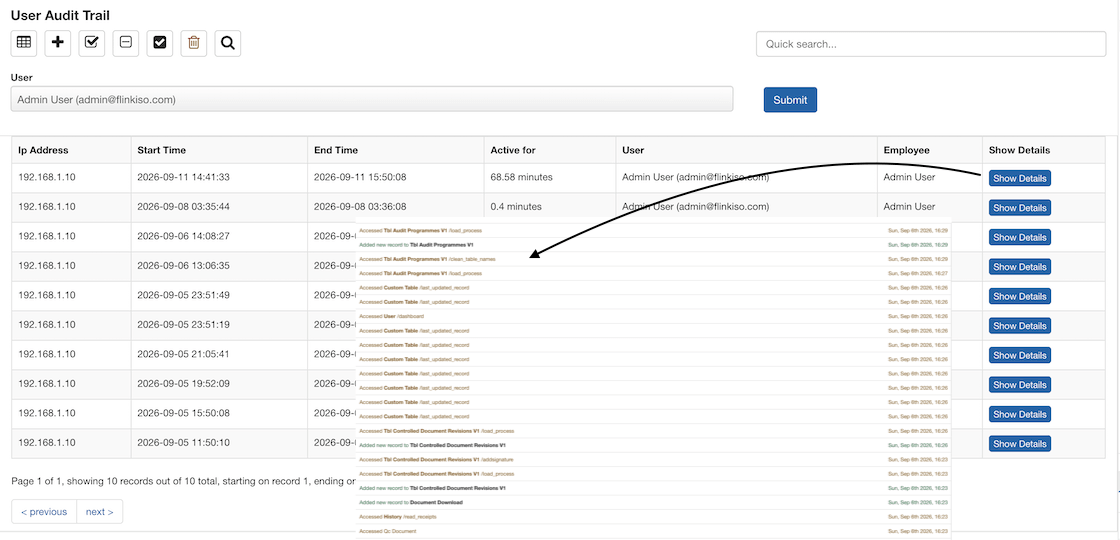
Review login and logout timestamps together with the calculated active duration.
FlinkISO · Free Open Source QMS
Review who accessed the system, what they did and when the activity occurred
Traceable system activity
FlinkISO records user-session and application activity to support investigation, accountability and internal review. Administrators can select a user, review their sessions and open the detailed sequence of events recorded during a session.
Recorded context
Review login and logout timestamps together with the calculated active duration.
Retain the IP address associated with the recorded user session.
Trace when a user accessed, added, edited or deleted application records.
Include approval and rejection actions in the reviewable activity history.
Two levels of review
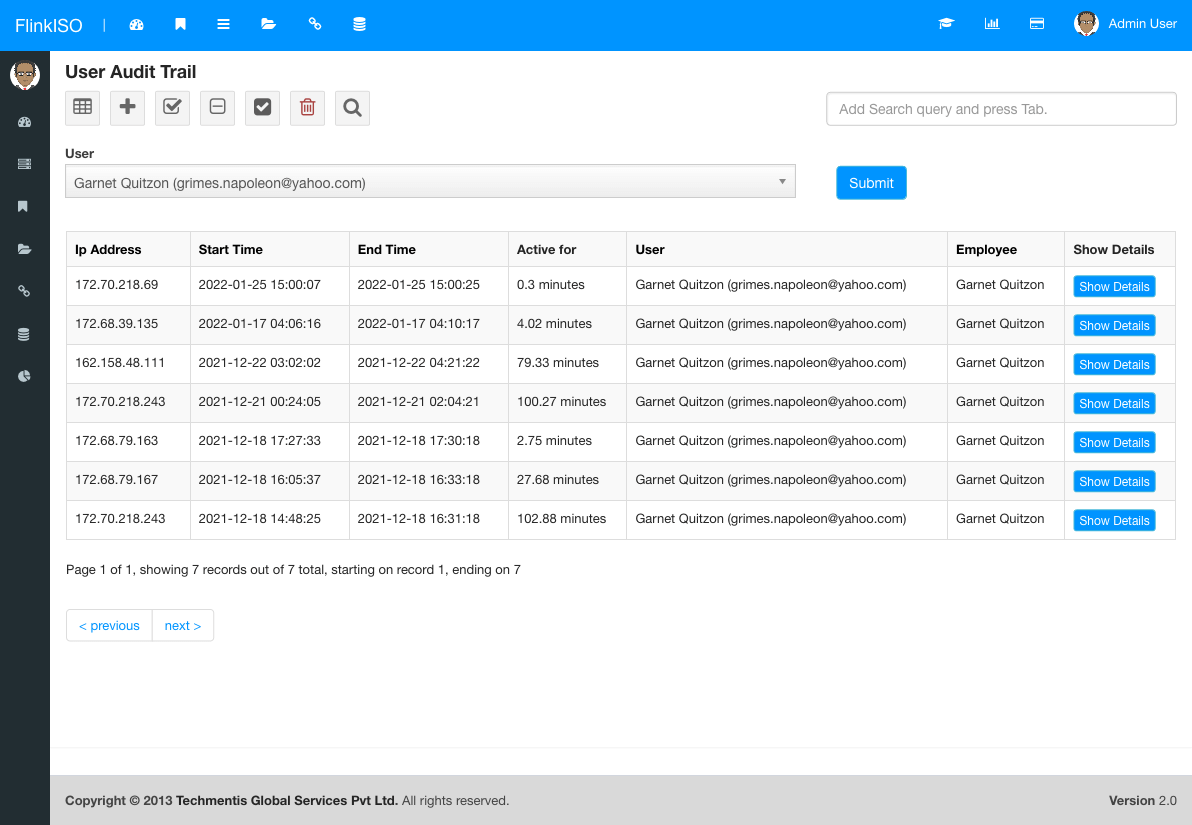
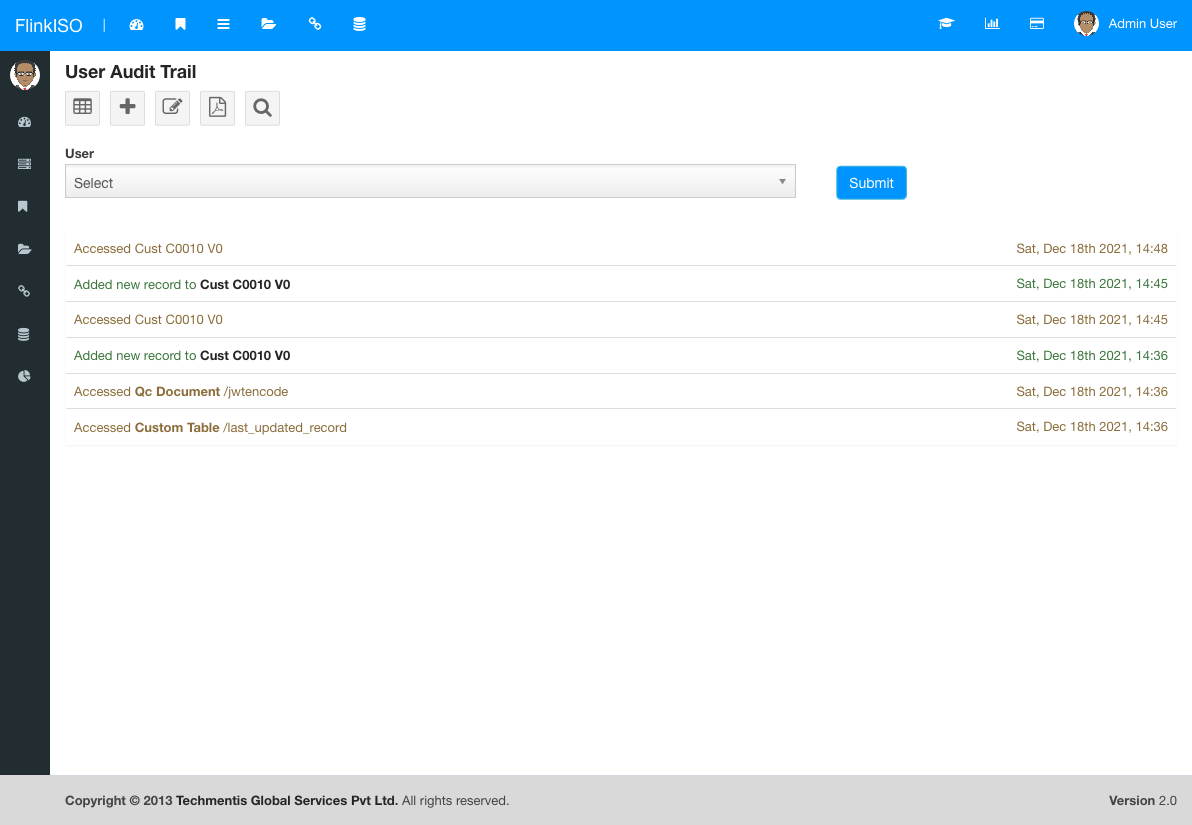
The session list gives an overview for the selected user. Show Details opens the individual activity recorded within that session.
Review workflow
Choose the account whose activity needs to be reviewed.
Use its date, time, duration and IP address to identify the relevant login.
Read the time-ordered activity recorded during that session.
Compare the recorded actions with the affected document, form or approval record.
FlinkISO audit trails describe activity inside the QMS. Techmentis does not use this application audit-trail data to track a user’s unrelated browsing, location or browser cookies.
More from FlinkISO
Assisted implementation
We will setup the application for you. Our team will actively work with you during the process, help you build your Custom HTML forms, and show you how to use the system efficiently.
Explore Startup PlanStart your 15 days On-Cloud QMS trial. No payment required. One free training session included. Live chat & email support.
RegisterDownload Free Quality Management Software On-Premise Edition. Installation, Training, Support Services on-demand.
Free Download