Copy
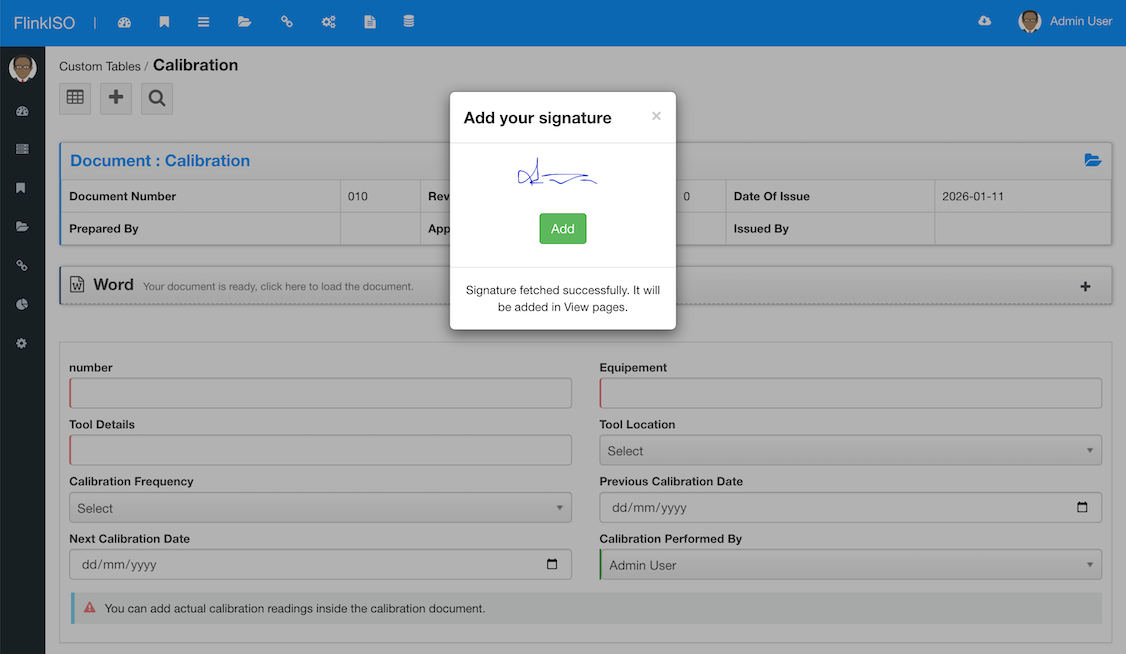
Copy a signature from an earlier uploaded PNG file.
FlinkISO · Free Open Source QMS
Password-authenticated, traceable signatures for records and exported PDFs
Electronic signatures with traceability
As part of CFR compliance & EU Annex 11's Section 14, Electronic Signatures are included in the software. Every document you create on the server is stored on a secured location. These documents are not available for direct downloads. You can only export these documents via PDF.
This signature is available on the footer of each page along with the download timestamp and username. Each PDF also has a system-defined issue number linked with the user, allowing the PDF document to be traced back to its origin.
Choose how to add a signature
When exporting a PDF, users can draw a signature or fetch a signature saved securely in their profile. A user can access and edit only their own signature.
Copy a signature from an earlier uploaded PNG file.
Copy a signature from an earlier saved image.
Save the current signature image for later use.
Clear the signature canvas and start again.
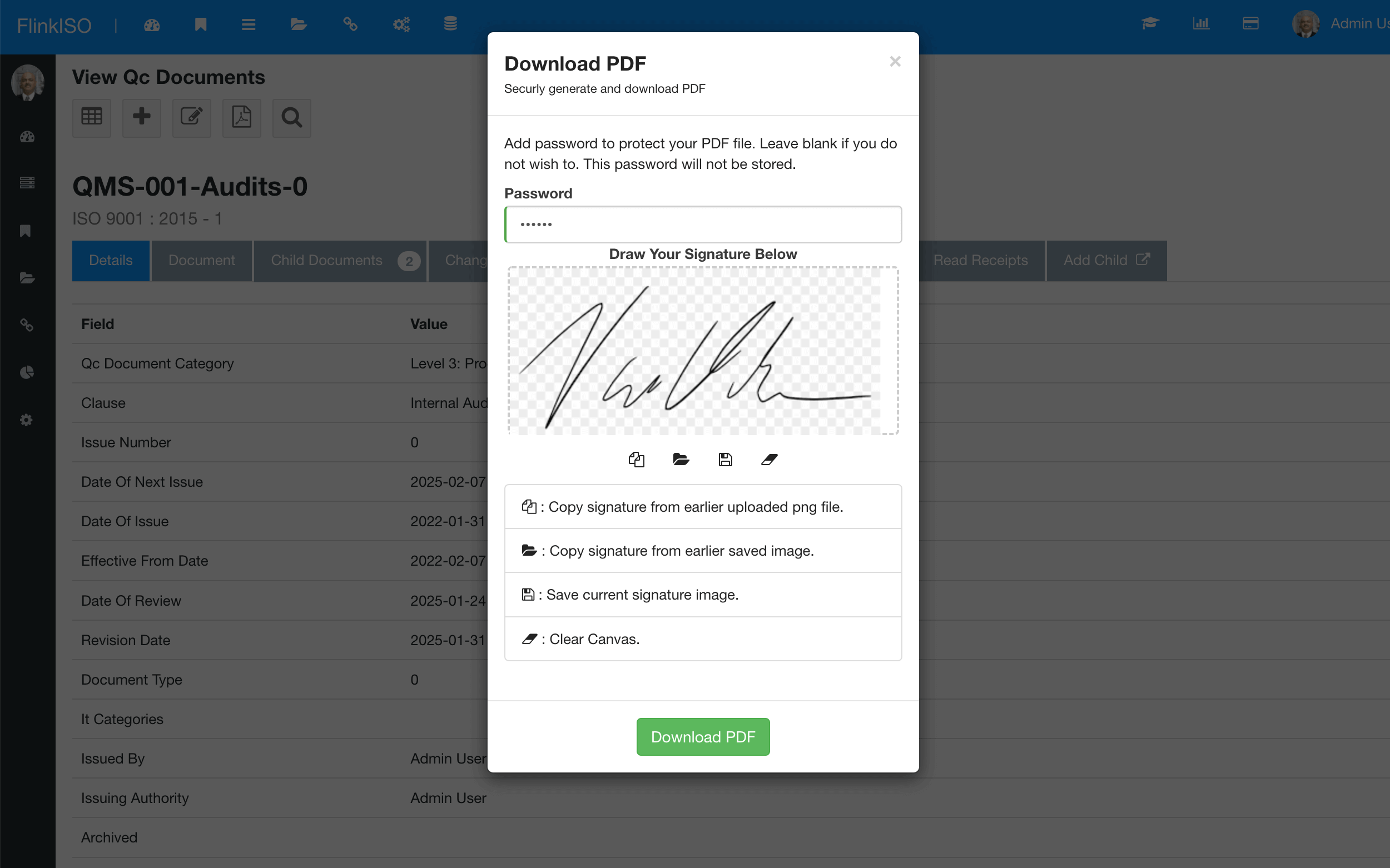
Signature controls in custom forms
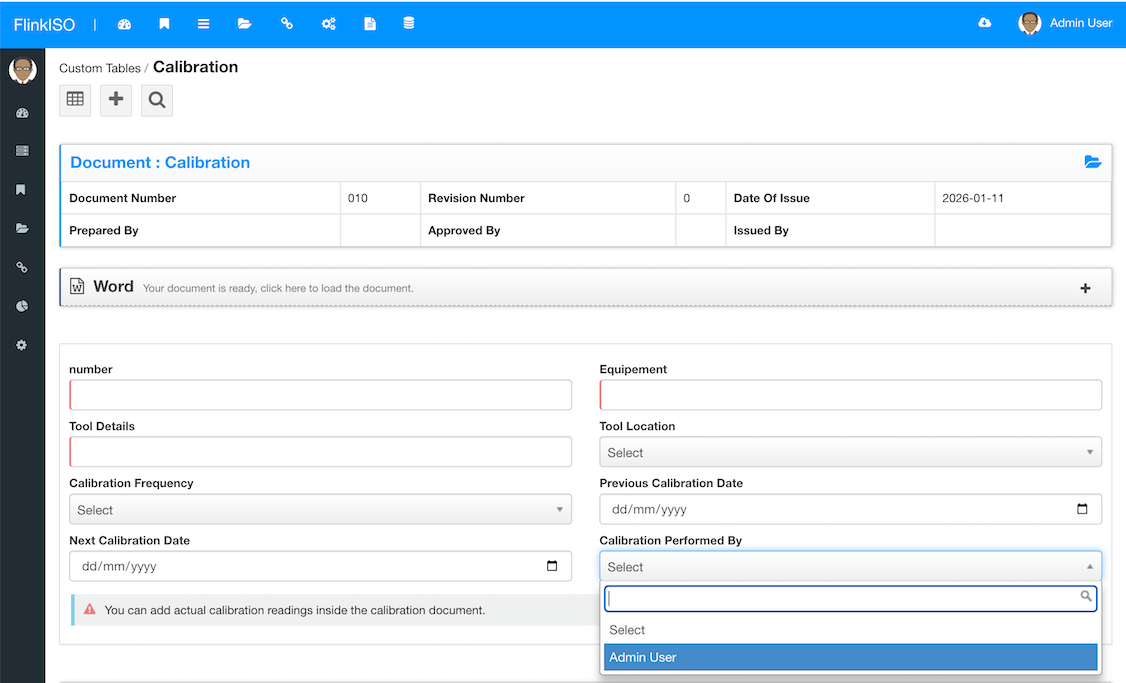
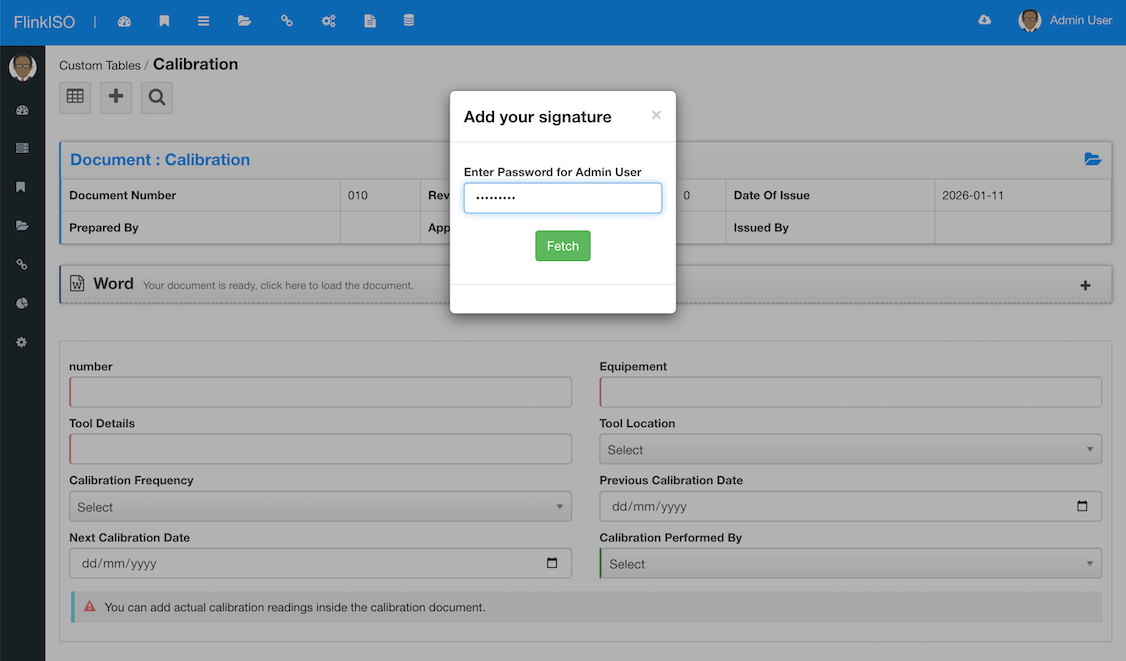
Starting Ver.2.4.x, Password protected signature signing is implemented. For every record/ document created by a non-admin or non-approver, that record/ document must go to an Approver before it is being published. While approving, the system first prompts the user for their password. Once authenticated, the system fetches the available signature and adds it to the PDF.
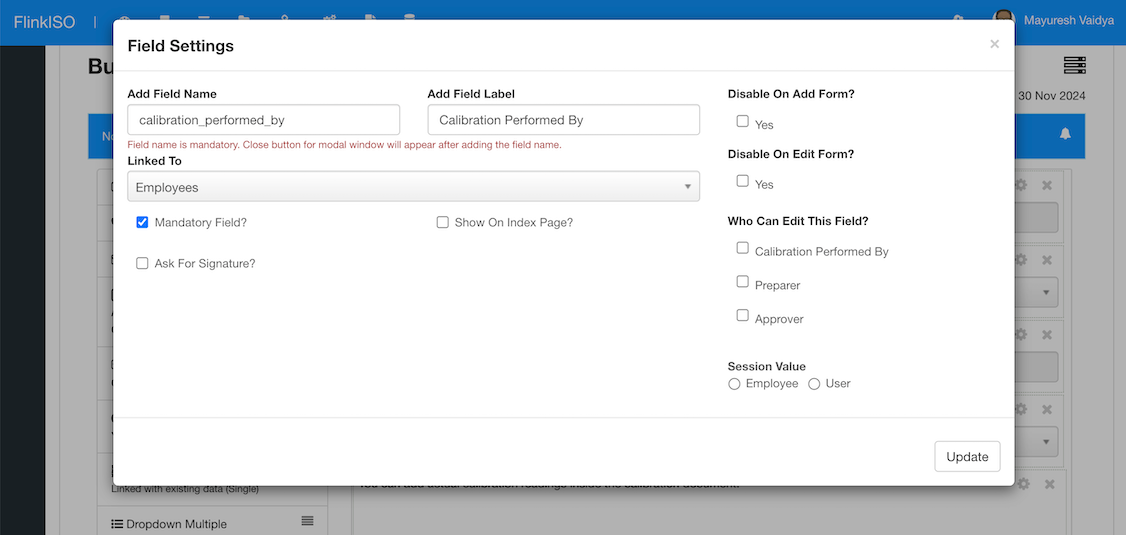
While creating HTML Forms, you can define whether a signature is required. When Ask For Signature is enabled, the user must authenticate with a password before the signature is added to views and PDFs.
More from FlinkISO
In their own words
Testimonials
We’ve been using FlinkISO for about a year, and it has become a key tool for managing our QMS for ISO 9001 and ISO 27001.
The platform is powerful yet straightforward—easy to navigate, quick to understand, and practical for day-to-day work. The team support is also excellent: fast, responsive, and genuinely helpful whenever we need it.
Overall, it’s a highly reliable solution and, in our experience, one of the best QMS tools available today.
The FlinkISO Online System certainly has revolutionized our business, it certainly allows us to work "smarter, not harder".
The online tracker, database, reports and graphs etc, have outperformed our initial system.
All the documentation is accessible at the press of a button, needless to say we are proud to be affiliated with you and with this level of professionalism.
We have been using FlinkISO as our Quality Management Software for the past few years and we are extremely satisfied with the software and services offered.
The support team installed the software for us and worked with us to customize our Quality Management website which made the transition from a paper-based system to an online one effortless.
They always respond promptly to any questions or inquiries and have processed our web customization requests with speed and reliability.
I would highly recommend their services.






Start your 15 days On-Cloud QMS trial. No payment required. One free training session included. Live chat & email support.
RegisterDownload Free Quality Management Software On-Premise Edition. Installation, Training, Support Services on-demand.
Free Download