Sharing determines who can reach a controlled document and its related form. Apply access at the document level using organisation groups or individual users, then combine it with role permissions.
Share a document
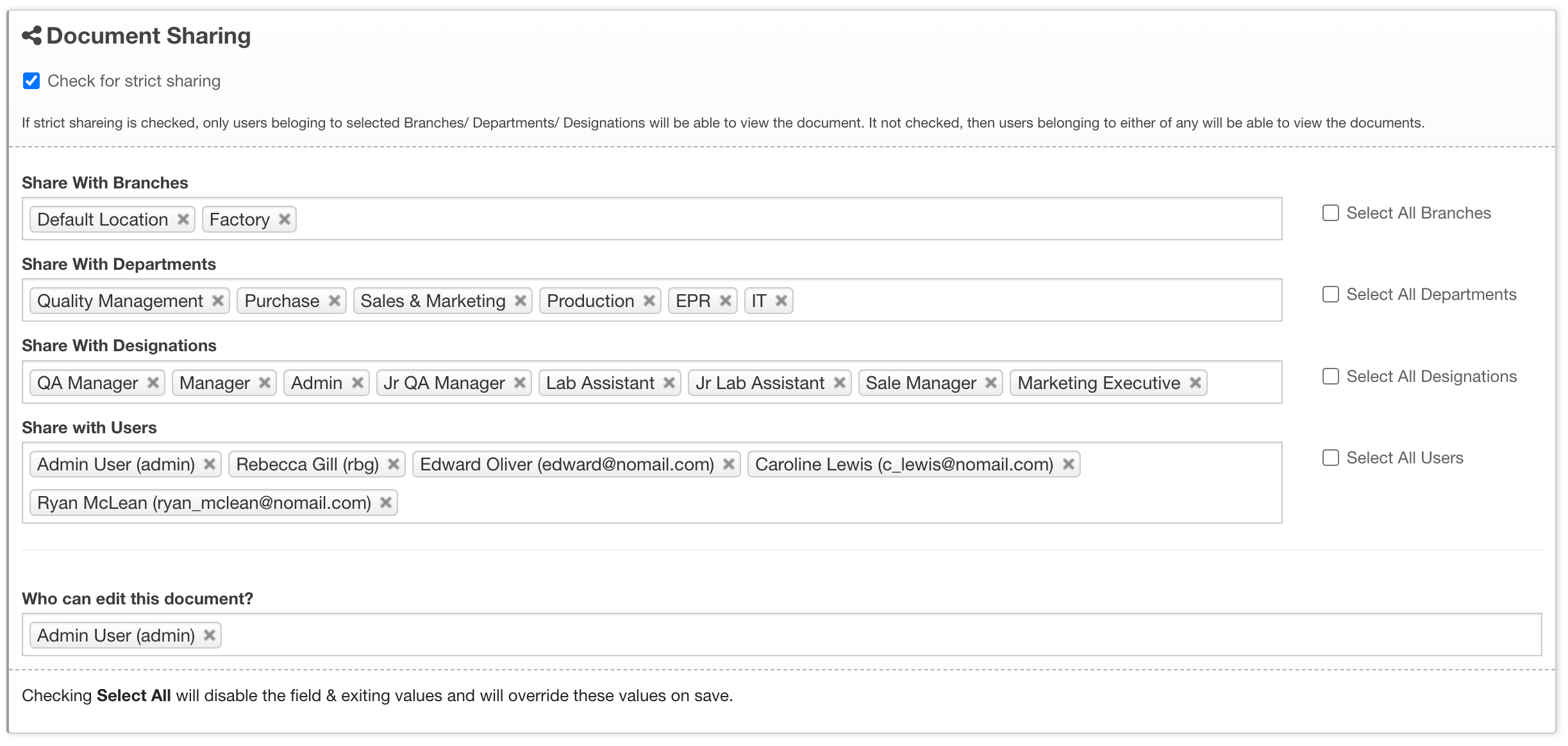
- Open the controlled document and locate its sharing or distribution panel.
- Select the required locations or branches, departments and designations.
- Add individual users when access cannot be expressed through an organisation group.
- Save the sharing changes and verify them with a non-administrator account.
Collaborate in ONLYOFFICE
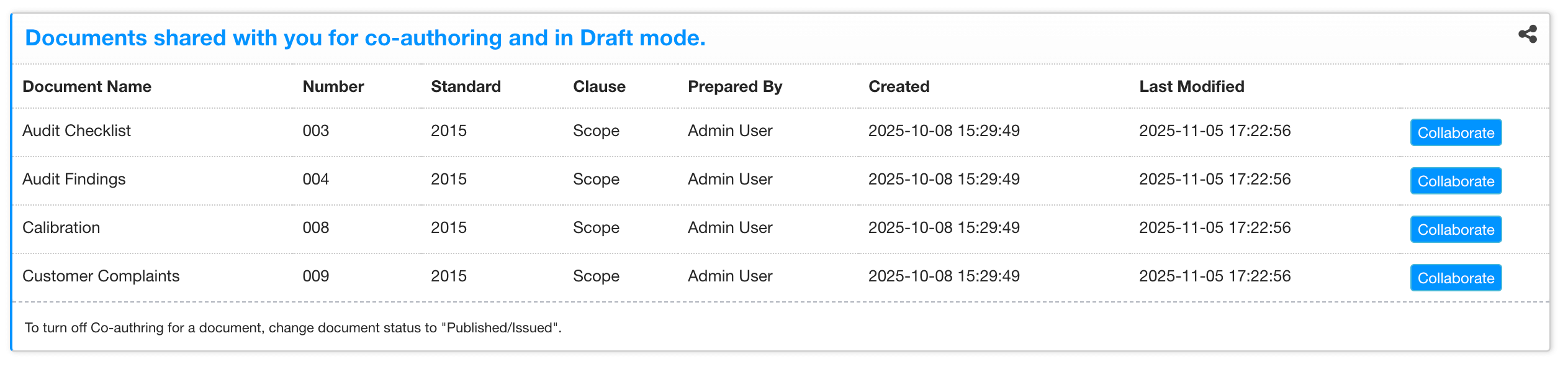
Users with access can open the document in the integrated editor. Co-authoring and comments are available according to the editor configuration. Use track changes when proposed edits need review before they become part of the controlled document.
Review distribution
- Remove access when responsibilities change.
- Use individual sharing only where group sharing is not appropriate.
- Review the document’s approval and publication state before broad distribution.
- Confirm linked custom-table permissions when a shared document has a generated form.
Sharing is not the same as approval. Sharing makes the record available; an approval process controls the decision and publication sequence.