Every user account is linked to an employee. This keeps login, identity, department and signature information connected. Only employees who need application access should be converted into users.
Create a user
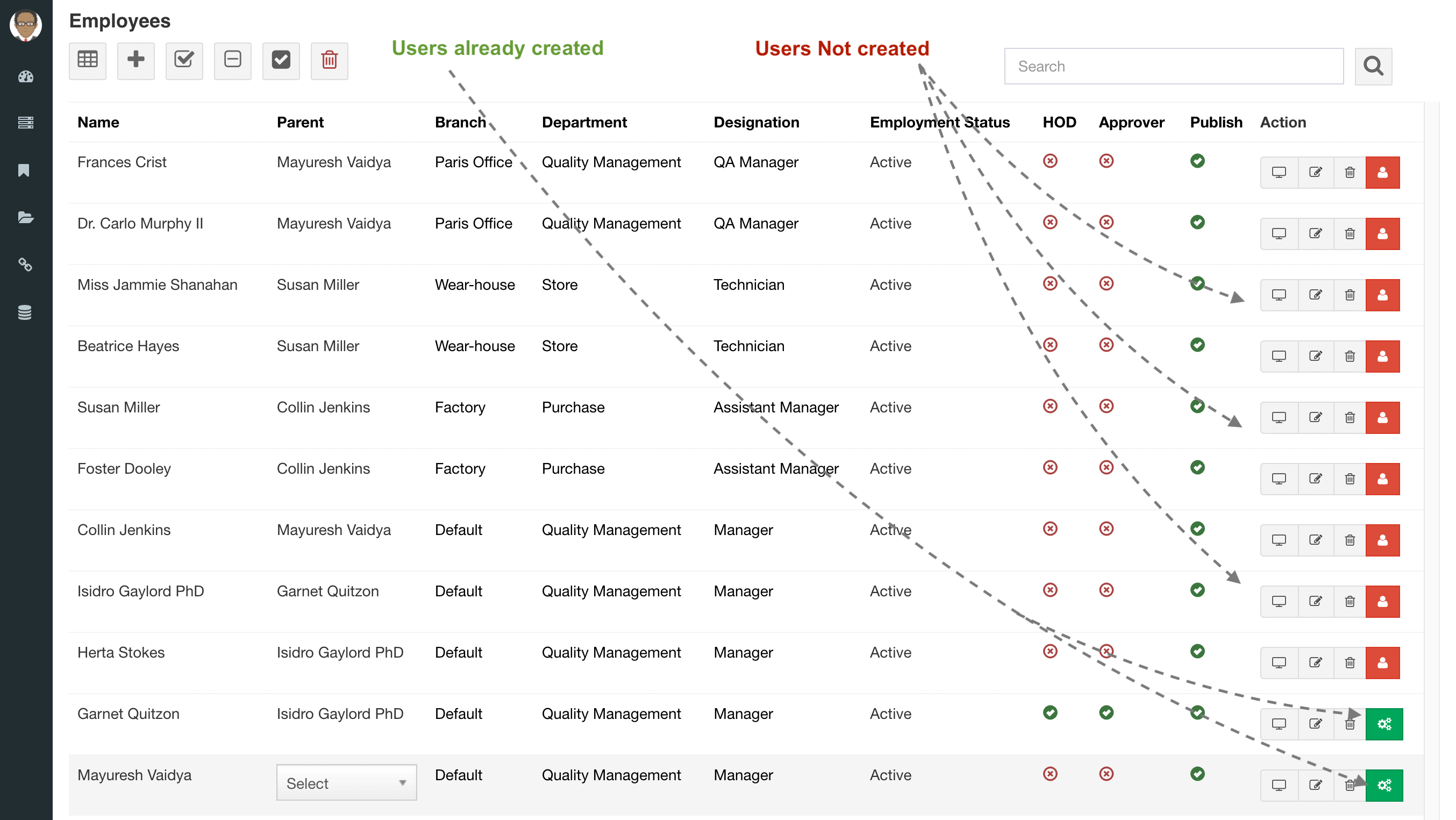
- Open the employee list and locate the employee who requires access.
- Use the user action beside the employee record.
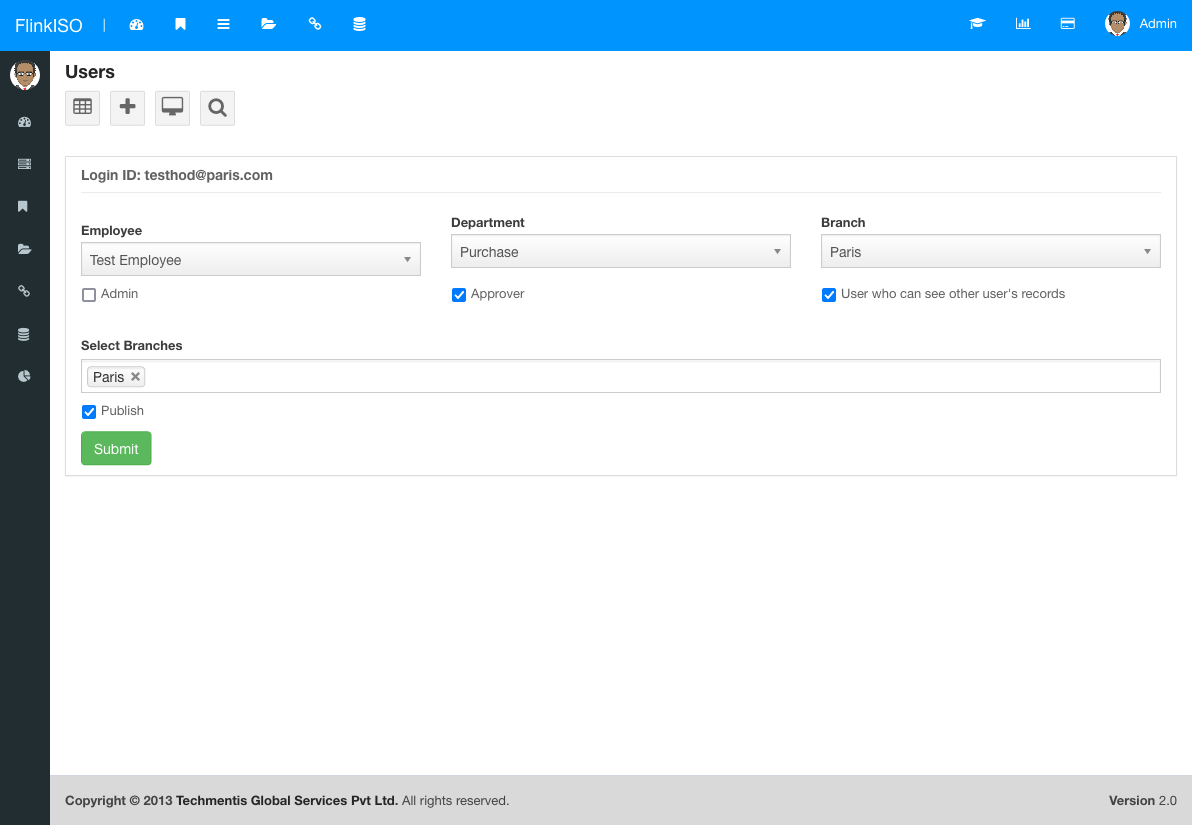
- Enter the login email or username and assign the appropriate role.
- Set the account status and save the user.
- Test the account or ask the user to sign in and change any temporary credential according to your password policy.
Assign the right role
Use the least powerful role that supports the user’s work. A role controls application actions, while document and custom-table sharing determines which records the user can reach. Both layers must allow access.
Edit or disable access
Open Users to update a role, status or account detail. When a person changes responsibility, update the employee’s organisation masters and review document, form and approval assignments as well as the role.
Offboarding: disable the user promptly and review outstanding approvals, tasks and shared records. Preserve the employee record when historical records refer to that person.