Reusable Processes
Administrators can define multiple approval processes and apply the appropriate workflow to new records.
FlinkISO · Free Open Source QMS
Create structured approval workflows for records, documents and custom forms
Controlled decisions. Complete history.
Control every record/ data entered into the QMS software by in-built Approval Process. Approval process is available on every form available in the system, whether its available forms or custom forms built by users.
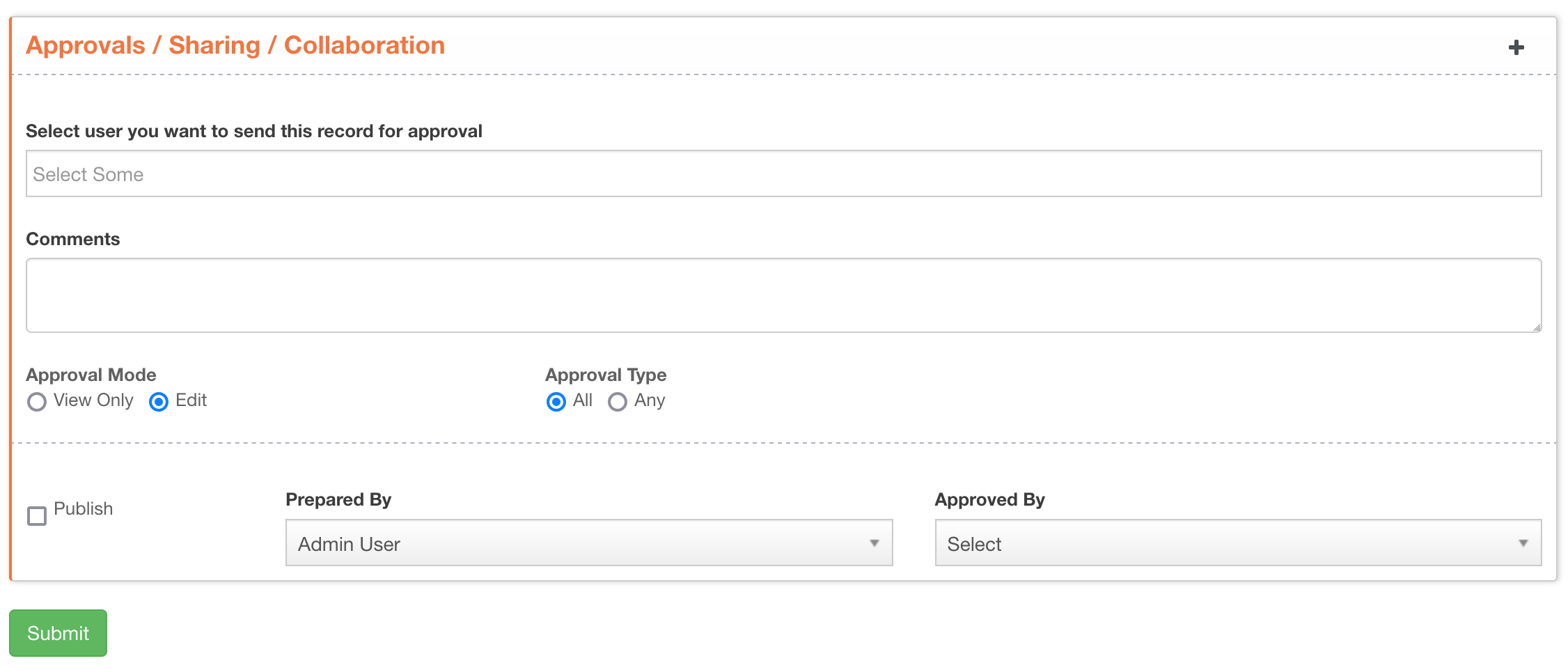
New approval workflow capabilities
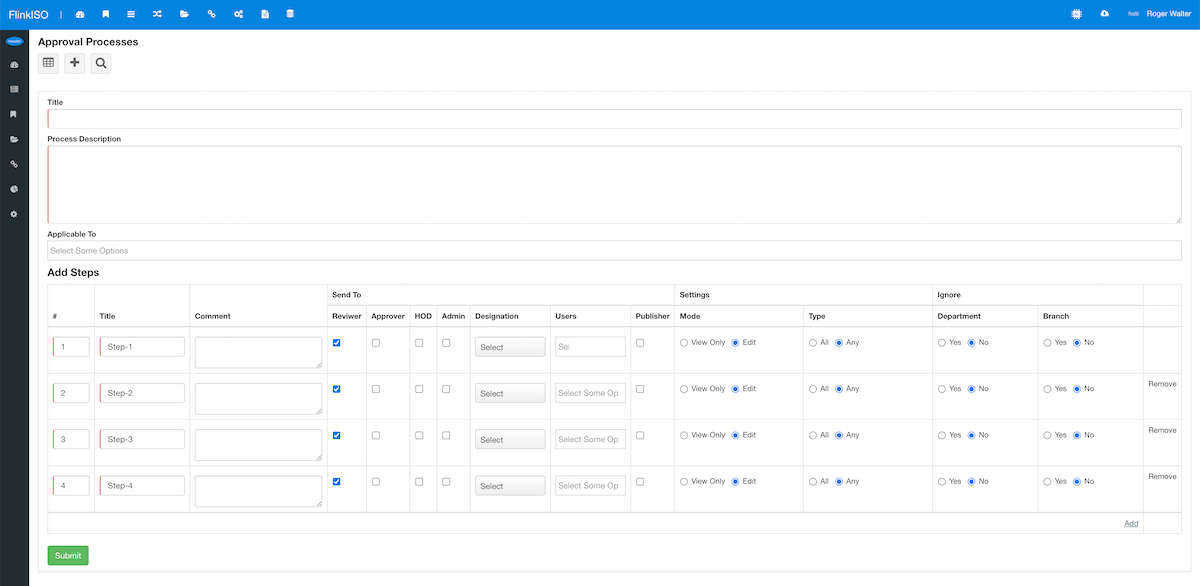
Administrators can define multiple approval processes and apply the appropriate workflow to new records.
Add multiple approval steps. The system progresses through them and publishes the record when the final step is approved.
Send each step to a Reviewer, Approver, HoD, Admin, Publisher, designation or selected user.
Let an approver review the record as view-only or open it in edit mode to make necessary changes.
Choose whether any assigned approver can approve the record or everyone in the approval loop must approve it.
Approval actions, responses and replies remain visible with the record and its exported PDF history.
Configure once. Route consistently.
Administrators can define one or many Approval Processes from the Auto Approval Process panel. For every step, select who should receive the record. The system then loads the appropriate users and guides every new record through the predefined process.
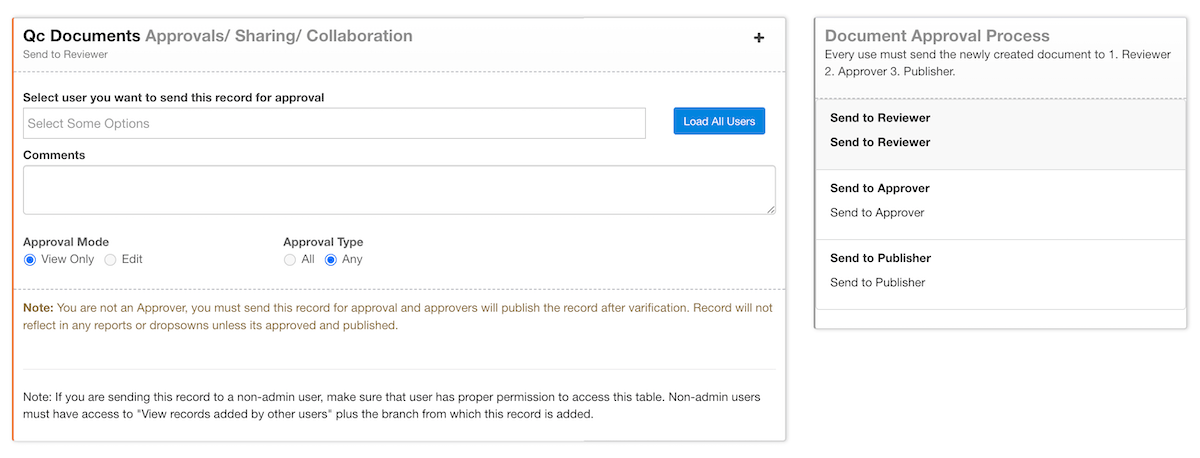
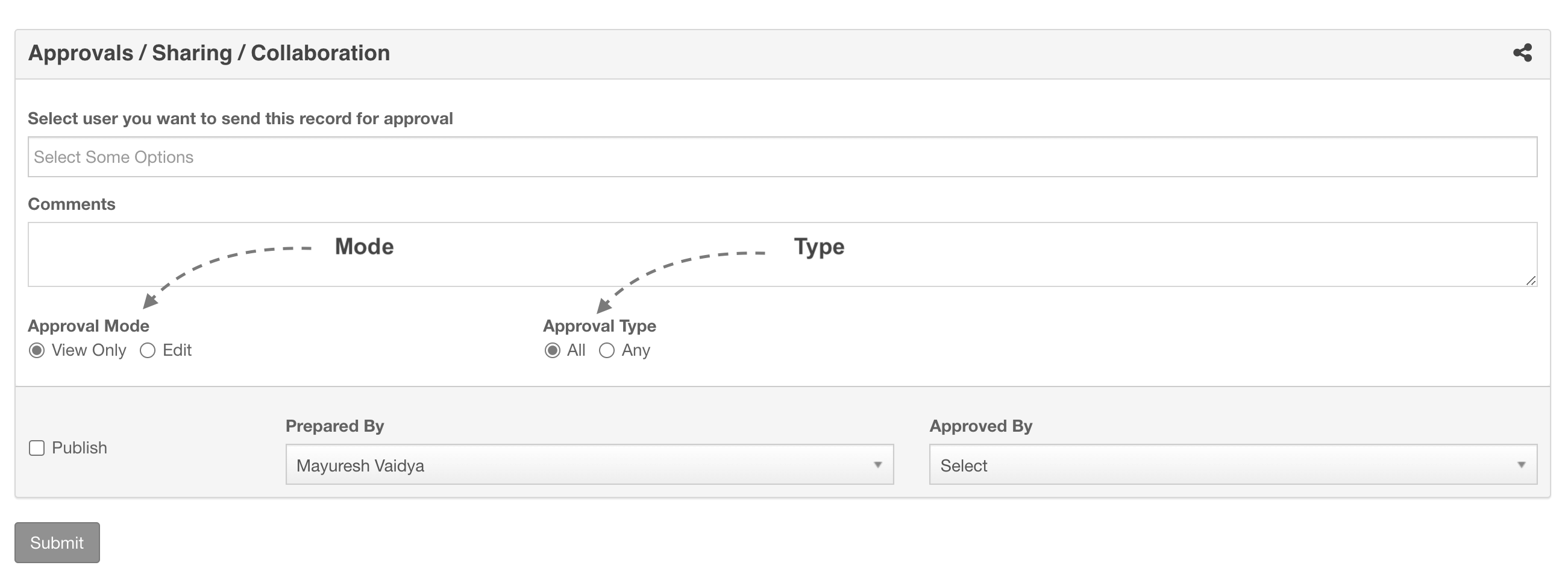
Control how decisions are made
The approver opens the record's View page, reviews the information and chooses the next action.
The approver opens the Edit page, can make necessary changes and then performs the next action.
Any one of the selected approvers can approve and publish the record.
Everyone included in the approval loop must approve the record.
From preparation to publication
A user creates or updates a record, document or custom form.
The record follows its predefined steps and reaches the appropriate authorized users.
Approvers review or edit, then approve, reject or return the record with a response.
The record is published automatically after its required final approval.
Every record, document, process created in FlinkISO quality management software can go through approval process. While adding users, you can define whether a user is an approver. A user without approval authority must send records for approval before they can be published. Approval panels are available on parent forms, while child forms follow the approval status of their parent form.
Keep every participant informed
When a record is sent for approval, the approver receives an email and a dashboard notification. The approver can approve it, reject it or return it to the preparer. Responses appear separately on the sender's dashboard, and the conversation can continue until the record is approved or rejected.


More from FlinkISO
In their own words
Testimonials
We’ve been using FlinkISO for about a year, and it has become a key tool for managing our QMS for ISO 9001 and ISO 27001.
The platform is powerful yet straightforward—easy to navigate, quick to understand, and practical for day-to-day work. The team support is also excellent: fast, responsive, and genuinely helpful whenever we need it.
Overall, it’s a highly reliable solution and, in our experience, one of the best QMS tools available today.
The FlinkISO Online System certainly has revolutionized our business, it certainly allows us to work "smarter, not harder".
The online tracker, database, reports and graphs etc, have outperformed our initial system.
All the documentation is accessible at the press of a button, needless to say we are proud to be affiliated with you and with this level of professionalism.
We have been using FlinkISO as our Quality Management Software for the past few years and we are extremely satisfied with the software and services offered.
The support team installed the software for us and worked with us to customize our Quality Management website which made the transition from a paper-based system to an online one effortless.
They always respond promptly to any questions or inquiries and have processed our web customization requests with speed and reliability.
I would highly recommend their services.







Start your 15 days On-Cloud QMS trial. No payment required. One free training session included. Live chat & email support.
RegisterDownload Free Quality Management Software On-Premise Edition. Installation, Training, Support Services on-demand.
Free Download