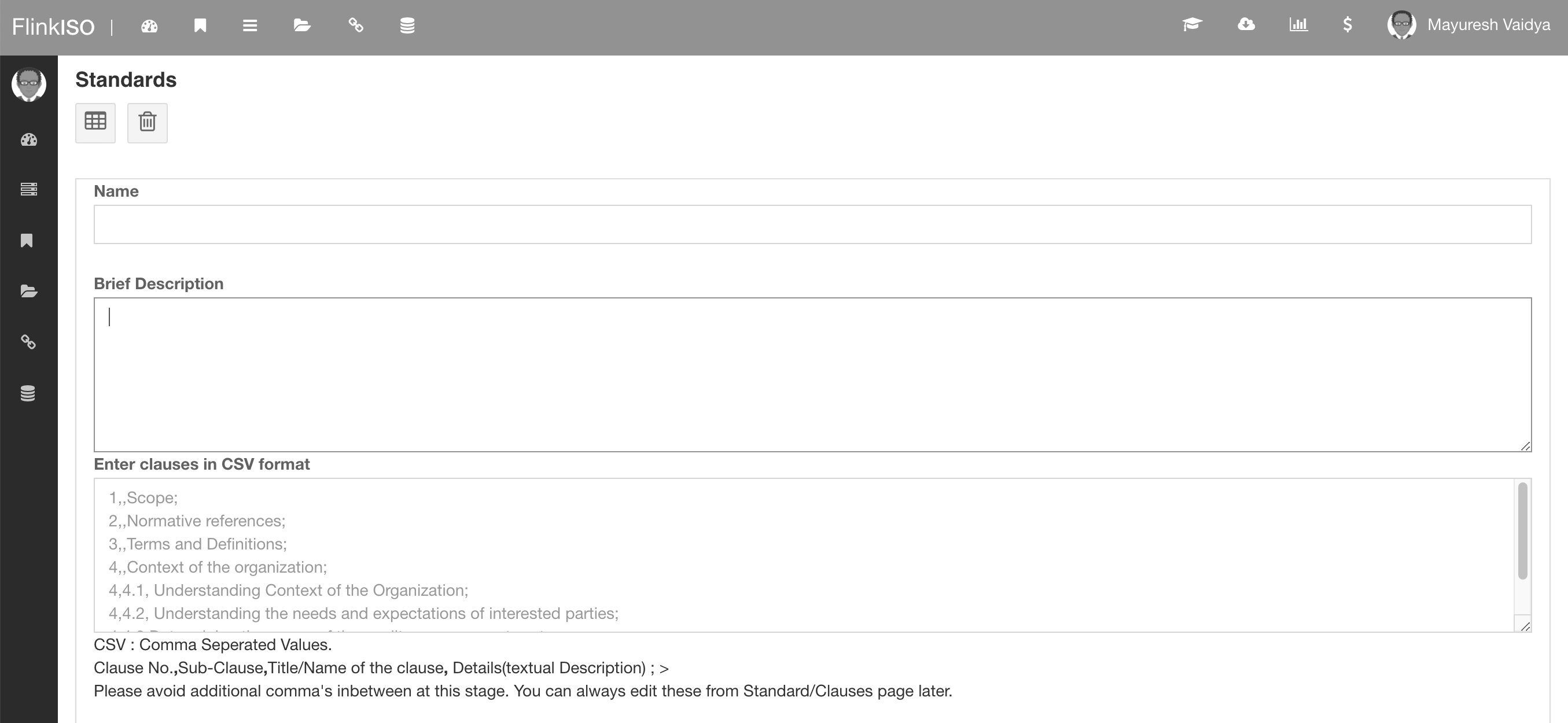
Add the standard and its clauses
Open Standards in FlinkISO, choose Add, and save the standard’s name and edition. Open the saved standard and enter each clause number and title your QMS uses. Assign subclauses to their parent clauses. Before renumbering an existing clause, check which documents and forms reference it.
Create a controlled document
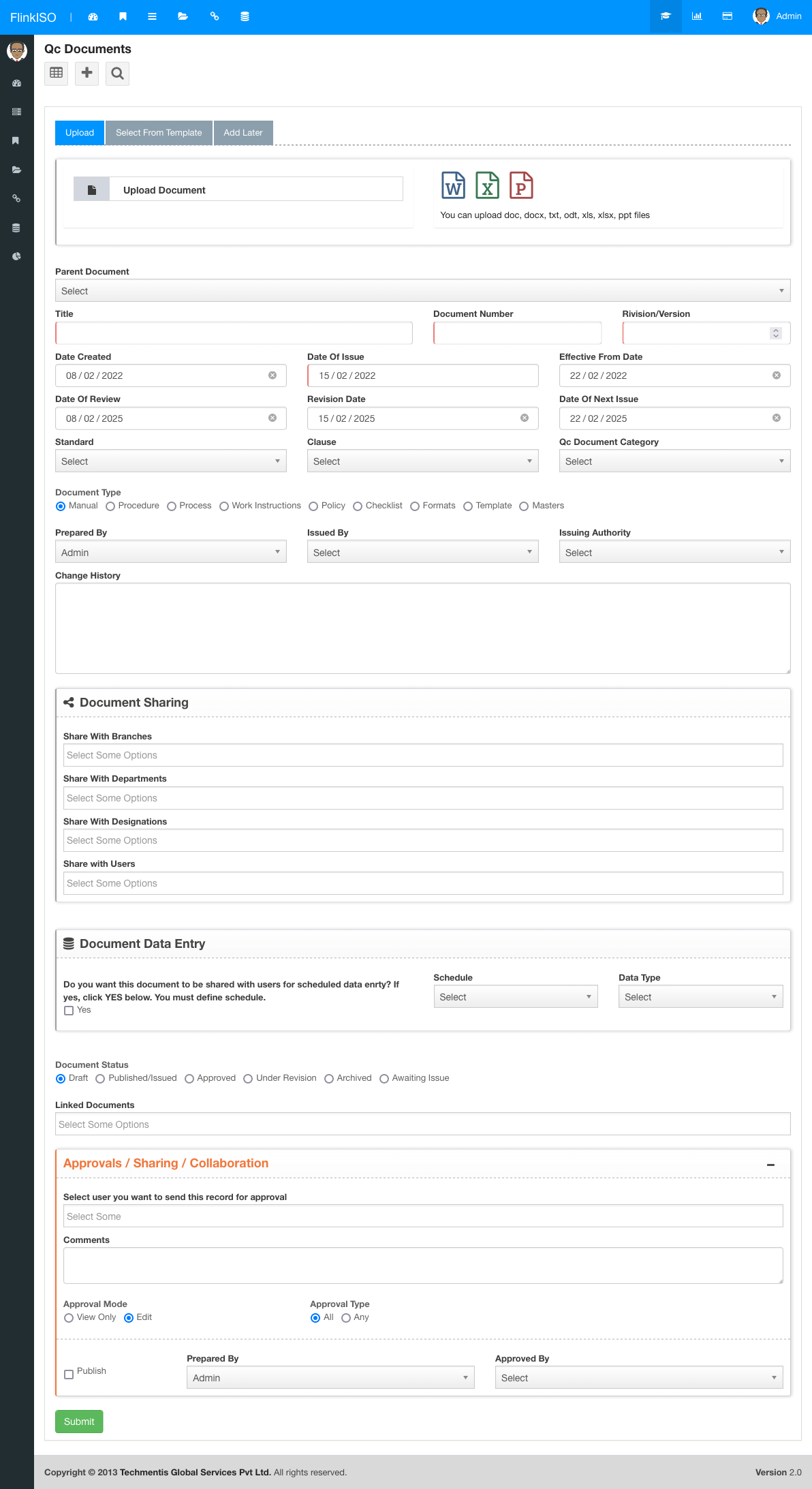
In Documents, choose Add and enter the title, number, revision and category. Select the standard and clause, upload your file or use a template, then save the document.
Document management in the manual
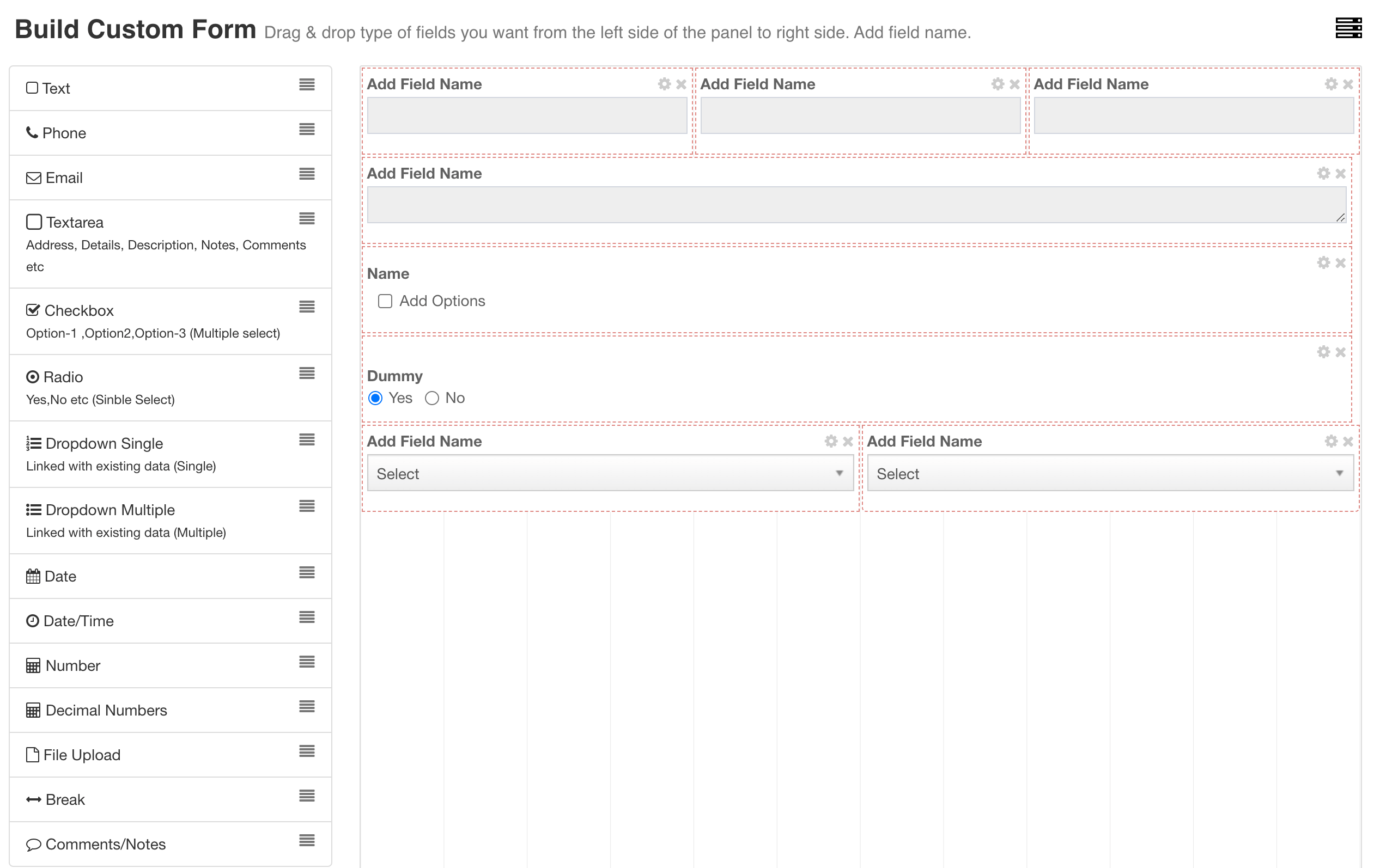
Build the form from the document
As a Super User, open Custom Forms, choose Documents, and select Add. Link the saved document, name the form, and choose the default field that identifies records. Arrange the fields, save and generate the form, then check its Add, Edit and View pages.